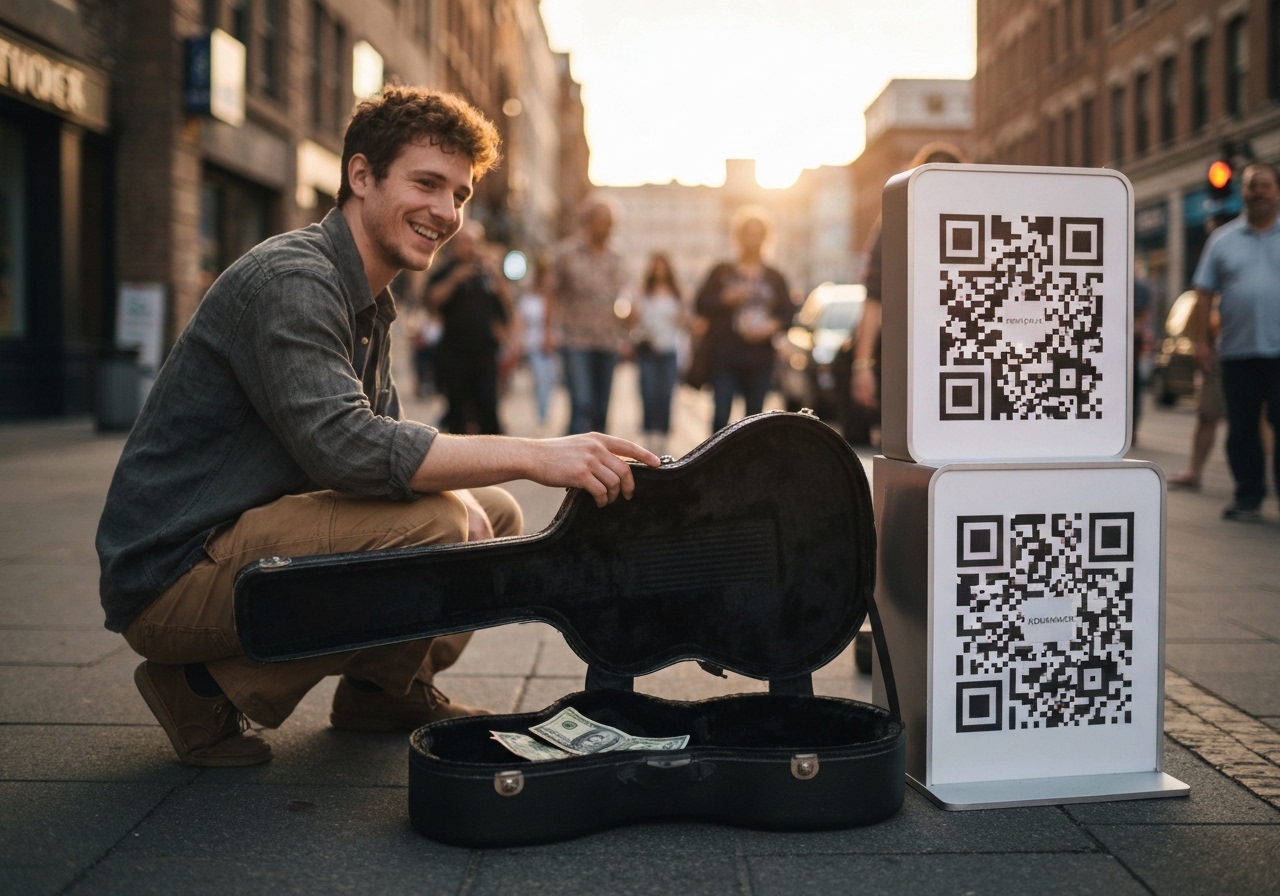
3 Strategies with QR Code Scanner for Artist Donations
You’ve just played the set of your life. The room's energy is buzzing, the applause is deafening, and you see that hopeful sign: people reaching for their wallets.
But then you see it—that familiar, awkward pause. They pull out a phone, glance around for a card reader, and realize they have no cash.
And just like that, they walk away.
That single moment is where artists like you are losing out on a huge chunk of your earnings. We need to talk about the technology that bridges this gap, specifically the QR code scanner for artist donations.
The days of the open guitar case filling up with crumpled bills are fading. It is not that fans don't want to support you; it is that the mechanism for giving has changed fundamentally. Your audience lives on their mobile devices.
If you cannot accept a tip in the time it takes to snap a photo, you are leaving money on the table.
We are going to walk through exactly how to set up a system that works, review the major players in the space, and explain why simply having a code isn't enough. You need an ecosystem that converts that scan into a loyal fan. Whether you are a street performer, a gallery artist, or a touring musician, understanding the nuances of the QR code scanner for artist donations is your next big career move.

The Truth About the "Scanner"
Let's clear up something that trips up a lot of artists when they're starting out. When you hear 'QR code scanner for artist donations,' you probably picture some clunky piece of hardware or a special app everyone has to download, right?
The reality is much simpler and more accessible.
Your fans already have the scanner in their pockets. Modern smartphones, both iOS and Android, have built-in QR reading capabilities directly inside their native camera apps or via Google Lens.
You do not need to worry about the receiving end of the technology.
The "scanner" part of the equation is solved by the market. Your focus needs to shift entirely to the "generator" and the destination.
What happens when that camera locks onto your pixelated square?
That is where the magic happens, or where the user experience falls apart.
Honestly, the best QR code experience is one that feels like nothing at all. Your fan points their phone, taps a link, and boom—they're instantly on a page that makes tipping quick and painless.
Speed is everything here. If a fan has to download a specific app just to give you five bucks, they won't do it.
It has to feel seamless, which is why browser-based tools that pop open Apple Pay, Google Pay, or PayPal are a game-changer.
Top Platforms for Collecting Fan Support
There are a ton of fundraising tools out there, and frankly, the market is pretty flooded.
The problem is, most are designed for big non-profits or fancy charity events, so they just feel awkward and overly complicated for an independent artist. Still, it's smart to know what's out there so you can pick the right tool for where you are in your career.
We've done the homework on the major players to see how they really stack up for an artist's simple 'scan-to-tip' needs.
Donorbox
You'll probably see Donorbox pop up if you're looking into serious fundraising. It’s a beast when it comes to custom campaigns, and their free QR generator can point fans to a specific funding page—perfect for something like a "Help us record our next album" push.
Its big strength is the data you get—you can track who gave what and when. So, what's the catch?
Let's be real: it feels super corporate. It's built for organizations, not the cool, gritty vibe of a busker or a gallery artist.
The whole interface screams "charity fundraiser," which can totally clash with your image as a professional performer.
Givebutter
Givebutter tries to make things more social. It's actually great for live events when you want to throw a fundraising goal up on a big screen. If you're doing a livestream concert, it's a really solid choice.
They have a Scan-to-Donate feature that plays nice with Venmo and other digital wallets, which is absolutely essential today.
People who use it say having lots of payment options really helps, since not everyone uses the same app to pay.
But just like Donorbox, it can be a little much. You might feel like you're managing a whole "campaign" when all you really want is a dead-simple, always-on digital tip jar.
Spotfund
Now, if you want something that feels more personal, there's Spotfund, though it's typically used for things like medical emergencies or personal fundraisers. People trust it, and it connects easily to social media.
It *could* work for an artist, but you're missing those key portfolio features that let you show off your work while also getting tips.
| Platform | Best Use Case | Artist Friendliness |
|---|---|---|
| Donorbox | Ticketed events, album funding | Moderate (Corporate feel) |
| Givebutter | Livestreams, interactive goals | High (Social features) |
| Spotfund | Personal causes | Low (Lacks portfolio tools) |
| Kiosque QR | All Performers & Visual Artists | Very High (Made for Artists) |
Look, while these other platforms have powerful payment tools, they just don't get the branding part right for artists. You're an artist, not a cause.
Shouldn't your tip page look and feel like an extension of your art?
Why Artists Need a Specialized Solution
And this gets to the heart of the problem. Look, a QR code for donations is completely worthless if it just dumps someone on a generic PayPal page or a confusing sign-up form.
You have maybe ten seconds—tops—to get that tip.
That's why at Kiosque QR, we figured out pretty quickly that artists need way more than just a payment link.
What you really need is a digital business card.
When a fan scans your code, they should instantly see your face, check out your latest song, find your Instagram, *and* have a big, obvious button to tip you. It pulls your whole online world into a single scan. And let's be honest, speed is everything.
Think about how easily you can get things done online now—like getting a transport quote in just 3 clicks at lltransport.ch. Your tipping process needs to be just that smooth. Any little hassle will kill the moment.
If a fan has to pull out a credit card and type in all the numbers while standing in a packed bar, you've already lost them.
Our Premium version makes this whole thing even smoother.
We build the "Tips" button right into your page using your PayPal.me link.
The fan scans, taps, uses their thumbprint to approve it, and the money is in your account. No typing, no forms, no fuss.
Obi / Unsplash
How to Get Tips as a Street Performer
Street performance, or busking, is the ultimate test of grabbing someone's attention—and their support. You have a moving audience, distractions everywhere, and zero time to explain how to pay you. Here is how to optimize the QR code scanner for artist donations workflow specifically for the streets.
Visibility is Key
Don't hide the code. Print it large.
We recommend a sign that is at least A4 size.
Place it on the front of your instrument case or on a dedicated easel. If people have to squint or crouch to scan it, they won't bother.
The Call to Action
A QR code by itself is just a pattern. You need text.
"Scan to Support the Music" or "Keep the Vibe Alive." Give them a reason to pull out their phone. Humor works famously well here. "My cat needs expensive food" often gets a laugh and a scan.
Timing the Ask
Don't wait until the end. Have the code visible the entire time.
Some people only catch one song. If they like it, they might scan and walk away while you are still playing. If you only pull out the sign when you're packing up, you've missed out on all the people who felt inspired in the moment.
Psychological Triggers for Digital Tipping
Let's get into the psychology of tipping, because understanding why people give can help you create an experience that encourages it. Tipping isn't about logic; it's all emotion. It’s about that connection you build with your audience.
And when you take cash out of the picture, it's easy to lose that satisfying feeling of dropping a dollar in the hat.
Your job is to bring that same satisfactory feeling into the digital world, and that's precisely why your landing page is so important.
When they scan your Kiosque QR code and see your photo with a personal thank you, it makes that connection feel real.
It shows them they're supporting *you*, not some faceless company. Then there's the idea of 'social proof'—but for our purposes, it’s really about making the action look easy and normal. If someone in the crowd sees another person scan your code, they're way more likely to do it too.
It shows them that scanning is the thing to do. Pro tip: you can even have a friend make a show of scanning the code during your first song to get the ball rolling.
Support Artists Without Cash App: The Alternatives
A lot of people search for how to support artists without Cash App, so let's talk alternatives.
While Cash App is huge in the US, it’s not everywhere. You really need a setup that works for anyone, anywhere.
That's why PayPal is still the king for global reach, but you don't have to stop there.
The Crypto Angle
Interestingly, we are seeing a rise in crypto donations.
Street artist PBOY famously included a Bitcoin QR code in his murals and raised over $1,000. It is a niche, but for visual artists, it adds a layer of tech-savvy intrigue to your work.
Kiosque QR allows you to link to any destination, so if you have a crypto wallet address page, you can link to it.
Digital Wallets
The holy grail is Apple Pay and Google Pay. They don't even have to open a banking app; it all happens right in their phone's browser. When you set up your PayPal.me link on your artist page, it cleverly connects the dots, letting people pay with whatever card or account they already have linked.
Vince Picipo / Unsplash
Strategies for Visual Artists and Galleries
Musicians get that instant applause, but what if you're a painter or sculptor?
The QR code scanner for artist donations is just as vital for you, but the application is different.
The "Silent" Docent
Place a small QR card next to each piece of art in a gallery. When scanned, it shouldn't just ask for money. It should take them to your Kiosque QR page where they can read the story behind that specific painting.
Once they are emotionally invested in the story, the "Tip" or "Buy Me a Coffee" button becomes a natural next step.
Merchandise Integration
And don't forget your merch!
If you sell prints or stickers, why not tuck a small card with your QR code into the package?
A simple message like, "Love the art?
Support what's next!" can turn a one-time buyer into someone who supports you again and again.
It's a way to get ongoing support without having to ask every time, and it can seriously add up over the months.
Technical Setup: A Step-by-Step Guide
Alright, let's get practical.
If you want to start earning digital tips *today*, this is for you.
Step 1: Create Your Central Hub
Here’s the simple-but-effective way to set this up for the best results. First, create your home base. And please, don't just print a raw PayPal link.
Honestly, it looks sketchy and unprofessional.
Instead, head over to Kiosque QR and create your account.
It only takes about a minute.
Make sure you upload a great profile photo of yourself—this is so important for building trust.
Step 2: Connect Your Payment Rails
Next, let's connect how you get paid.
Inside the Premium section, just pop in your payment link. We really suggest using PayPal.me since it's known and trusted all over the world.
A quick tip: make sure your PayPal account is set to "Business" or "Creator" if you can; it just makes people feel more secure when they're giving you money.
Step 3: Generate the Code
Then, it's time to generate your code. Our app creates a sharp, high-quality QR code for you instantly.
The best part is that this code is 'dynamic.' That means if you update your Instagram link or change your bio down the road, you don't have to print a new one. The code on your sign stays the same, but the page it leads to updates in real time.
Step 4: The Physical Deployment
Okay, time to put it out in the world. Download the QR code image, but please, don't just print it on a flimsy piece of paper. Jump on Canva or Photoshop and design a proper sign.
Put your name on it, what kind of art you do, and a simple instruction for people.

Common Mistakes to Avoid
We see artists make the same errors over and over. Avoiding these will put you in the top 10% of earners.
The "Broken Link" Disaster
Always test your code before you print 500 stickers.
Scan it with an iPhone and an Android. Ensure it loads fast. A dead link is worse than no link because it frustrates a fan who was willing to give you money.
Too Many Options
Do not list five different QR codes (one for Venmo, one for PayPal, one for Instagram). It looks messy and confuses people. "Which one do I scan?" just use one main code from Kiosque QR that links out to everything.
And finally, don’t forget to say thanks.
You obviously can't thank every single person who tips you digitally in person. So, set up your page to do it for you. Seriously, a simple "Thanks for keeping the art alive!" message on the page they land on makes a huge difference.
The Future of Patronage
The way people support artists is changing.
It's becoming less about buying a product and more about supporting a person. Your fans want you to succeed.
They want to be part of your journey. The QR code scanner for artist donations is simply the tool that reduces the friction between their desire to help and your bank account.
By using a dedicated service like Kiosque QR, you aren't just asking for handouts; you are building a professional infrastructure for your career. You retain control of your data, you present a polished image, and you make it incredibly easy for the world to reward your talent.
In a world where nobody carries cash anymore, having a digital way to get paid isn't just a good idea—it's about survival. But it's more than just survival; it's a chance to earn way more than you ever could with an old-school tip jar. Think about it: the average digital tip is way higher than a few coins.
People might not have spare change, but they don't think twice about tapping to send $5.
FAQ
Do I need a special app to scan donation QR codes?
Nope! Your fans can just use the normal camera app on their iPhone or Android.
Their phone automatically spots the code and pops up the link for them to tap.
Is it safe to share my QR code publicly?
Totally safe, as long as you're using a trusted service.
The QR code is just a fancy-looking link. When you use a platform like Kiosque QR, you know that link is pointing exactly where you want, and you can even change where it goes later without having to reprint all your signs.
Can I see who donated?
That depends on what payment service you connect. PayPal and Venmo usually show you who donated (and sometimes their email), which is amazing for building a list of your biggest fans. An actual tip jar, on the other hand, tells you nothing.
What if I don't have PayPal?
No PayPal?
No problem. While we suggest PayPal because almost everyone has it, Kiosque QR lets you link out to all sorts of places. You can point fans to other payment services, your personal website, or even your Patreon page—whatever works best for you.
How much does it cost to set up?
You can actually get started with your own artist page on Kiosque QR for free.
Our Premium version adds the direct "Tips" button for super-smooth payments, and honestly, it's a small investment that usually pays for itself after just one or two good tips.